
AirTags Low Vision: Finding Nearby Items
Hello, my name is Douglas Walker. All right. Are you tired of constantly looking for things? Yeah, that seems to be the story of my life. Well, search no more because today is all about AirTags. Yeah. AirTags are a super easy way of keeping up with all of your stuff.
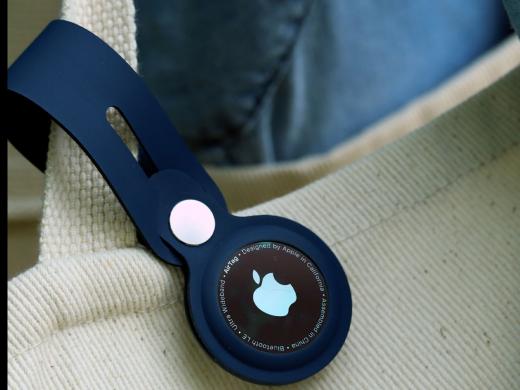
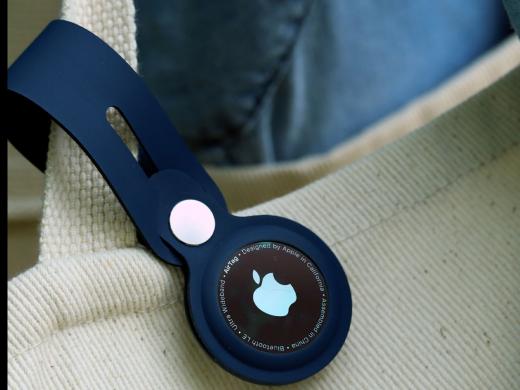
Now, an AirTag's about the size of a quarter, and there are tons of accessories that will allow you to attach one to your backpack and put one on your keys or umbrella, or even slip one in your purse or luggage. Then you're all set. You'll use your iPhone, iPad or iPod Touch to track down all of your favorite items from right there in your Find My app.
Okay, first things first, we'll want to make sure that we're running Apple's latest software. We'll also want our location services, our Find My and our Bluetooth settings to be turned on. And of course we'll find those things in our settings app. Okay. How about we jump right in and check out how to find items nearby?
All right. Like we said, we will find all of the items that we have placed our AirTags on right in our Find My app. So we'll just tap to open our Find My app. Great. Our Find My app is open and we will find all of our items in our items tab here in the bottom of our screen. So we will just tap our items tab. Yeah. Our items tab is open. We have been given a map of our location here at the top of our screen. And just below that all of our items are listed. Yeah. I have that AirTag on my keys, one in my wallet and I've placed one in my backpack as well.
Okay. Let's say that my keys have misplaced themselves, which actually happens more than I'd like to admit. Well, we will just tap our keys item here. So let's do it. We will tap to find our keys. Yeah. Our keys screen has opened. Now we still have our map here at the top and we've been given some options for finding our keys here at the bottom of our screen. Yeah. We have a play sound button here and, you guessed it, all we have to do is just tap our play sound button and the AirTag we've placed on our keys will play a little chime.
So let's give it a try. We will tap our play sound button. And there you go. Our AirTag plays a little chiming sound. Now I also love the fact that we can simply ask Siri to find our keys and that same chime will begin to play. Yeah, that is super cool.
Okay. Let's say our item is in a different room and we simply can't hear our chiming sound. Well that's where our find nearby button comes into play. So how about we tap our find nearby button to check out how this works and we'll go ahead and tap. Yeah. Our find nearby screen has opened and we are given the distance to our keys here in the bottom left of our screen. And as we move towards our keys, an arrow will pop up on our screen, pointing us to where our keys are hiding.
Yeah. All we have to do is move in the direction that our arrow is pointing. And we will notice that our distance is getting shorter here in the bottom left-hand corner. We also get a little vibration as we get closer. And when we get near our keys, a little AirTag appears on our screen.
Now, if we still can't find our item, you know, maybe it's hiding under a blanket or has slipped into our sofa. Well, no worries because we have been given our handy little play sound button here in the bottom right corner. Now, if it's dark, a flashlight button will also appear here in the bottom center of our screen. And we could just tap it on if we happen to need a little more light.
All right. We've found our keys and of course we can just tap our done button here in the bottom left corner. Yeah, we'll go ahead and tap done. And here we are right back on our keys screen.
Now, if you want to get back to our items list, we just tap our little X here in the top right corner of our options. And we'll go ahead and just tap it. Yeah, there you go. We are right back in our items tab and we're ready to hunt down our next item.
I tell you, my AirTags have saved me so much time throughout the day because now I just grab my iPhone and easily find any of my missing items. Again, my name is Douglas Walker. Take care and I'll see you next time.
Apple AirTags: Low Vision Series
- Video · 5 minutes
- Video · 5 minutes
Explore
-
CVS Pharmacy Spoken Rx
Audio · 19 minutes
-
I was just diagnosed
Resource guide
-
Is It Expired? 5 Ways to Know with Vision Loss
Article · 4 minutes
-
What's Cooking?
Discussion
- Explore more
Members also liked
- Video · 3 minutes
- Video · 10 minutes
- Video · 12 minutes
- Video · 6 minutes
Join the Hadley Community
Hadley's resources are always available to you. Create a no-cost Hadley account to go further:
-
Pick up where you left off Everything you start is automatically saved across Hadley.
-
Personalized recommendations We'll suggest resources based on your interests.
-
Join live discussions Live and lively discussions on technology, cooking, and more, all geared toward the community of people living with vision loss.
-
Find peer support Connect with people who understand what you're going through.