
Digital Handheld Video Magnifiers
Magnifying glasses can be a huge help, but there may be times when they're just not up to the job. Times when they're not strong enough, when it's hard to hold them still, when room lighting is too low or even too bright. The good news is that a lot of these issues can be solved with a different kind of magnifier, a portable or hand-held digital magnifier.
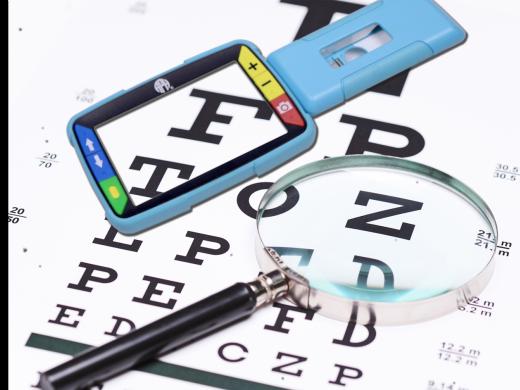
So what's a digital magnifier? Simply put, it's a camera attached to a video screen. The camera takes a video of what you wanna see, and the video shows up on the screen. But here's the great part. Because it's digital, the magnifier can enlarge the image on the screen. And not only can it make it bigger, it can also change the image in a lotta ways that make it easier to see. A lotta models are only slightly larger than a cell phone, and even look a bit like one. The camera is on one side, and the screen on the other. And like a cell phone, they'll have some buttons around the screen that control all the features that make them really useful.
Let's look at the features that make digital magnifiers exciting. First, let's talk about making the image larger. With a digital magnifier, you have tons of options to enlarge an image. A glass magnifier only has one level of power. A digital model has a lot, up to five or more. What this means is that you won't run out of options no matter what the size of print or image is that you want to see. You can adjust the power level to fit your needs. One digital magnifier can perform the job of five or more glass magnifiers. That's a lot less luggage to carry around with you.
Another great feature is how you can change color and contrast. Have you noticed it's easier to see some colors of print more than others? A digital magnifier can change the color of an image to one that works best for you, and it'll change the background so the print color you prefer will stand out even more. Even basic models will offer you a number of color combinations, and it's amazing how much difference this can make, and it helps with eye fatigue, too.
Now, let's discuss getting things into focus. A glass magnifier has to be held at an exact distance to be in focus, but you don't have to do that with a digital magnifier. It'll focus automatically no matter where it's held. That means less effort to hold it steady and less strain on your arms or back as you try to stay in one position while reading.
Another cool feature is how digital magnifiers can adjust to the light around you. Even in poor light, a digital magnifier keeps an image as bright as you need it. You control the brightness to keep things clear, whether you're in a dark restaurant or a brightly lit grocery store. And it's great that you can see the image with both eyes. If you've used a powerful glass magnifier, you've probably had to hold it up close, so close that you could only use one eye. With a digital model, you can use both eyes. It doesn't have to be held close to your face to be in focus, and you'll be able to see the image at a comfortable distance, one that let's you use all your vision.
Finally, you can make snapshots. But lots of times when we'd like to keep a picture of something we've looked at with our magnifier, a phone number, or a recipe, or a prescription, a digital magnifier can do just that. When you're looking at something important, you can take a snapshot with your digital magnifier. Then, you can bring the snapshot up later on the screen when you need it. Many models have other features that increase your options. Some have handles that fold out, and some have built-in stands that let them rest on your book or magazine.
Digital magnifiers come in all sizes, from slightly larger than a cell phone for seeing small bits of print, to the size of a tablet for reading a book or a magazine. Many can connect to your computer screen, which make your image even easier to see. Most of them run on rechargeable batteries, so you'll need to plug them in to an outlet now and then to keep them charged. They're lots of choices, so the main thing to keep in mind is, you'll need to try several before you decide to buy one. The best way to do this is to let a qualified vision professional help you choose.
They're not many downsides to digital magnifiers, but they can cost more than a simple magnifying glass. Getting expert help is a good idea. Check out our resource section, or ask your learning expert for ways to find a vision professional near you. With all these features, a hand-held digital magnifier makes a great addition to your reading tool box.
-
Products
Handheld Video Magnifiers from Eschenbach Optik of America
High-quality optical magnifiers and monoculars and resources for low vision.
LS&S sells a variety of magnifiers, monoculars, handheld and desktop video magnifiers. Phone: (800) 468-4789
MaxiAids sells a variety of magnifiers, monoculars, handheld and desktop video magnifiers. Phone: (800) 522-6294
Independent Living Aids sells a variety of magnifiers, monoculars, handheld and desktop video magnifiers. Phone: (800) 537-2118
Sharper Vision from Wisconsin Council of the Blind & Visually Impaired
Sharper Vision catalog sells a variety of magnifiers, monoculars, handheld and desktop video magnifiers. Phone (800) 783-5213
Manufacturer of blindness and low vision products, including handheld, portable, and desktop video magnifiers. Phone: (800) 444-4443
-
Websites
What is Low Vision? from Eschenbach Optik of America
Demonstration of Optical Magnifiers for Low Vision from InFocus (YouTube Video)
Stand Magnifiers for Low Vision from EyeCarePro (YouTube Video)
Low Vision Quick Tip - Magnifier Tool from The Blind Life (YouTube Video)
Tips for Using a Handheld Magnifier from Second Sense (YouTube Video)
Polly Abbott, Certified Vision Rehabilitation Therapist demonstrates the most effective way to use a handheld magnifier when reading.
Magnifiers Series
- Video · 6 minutes
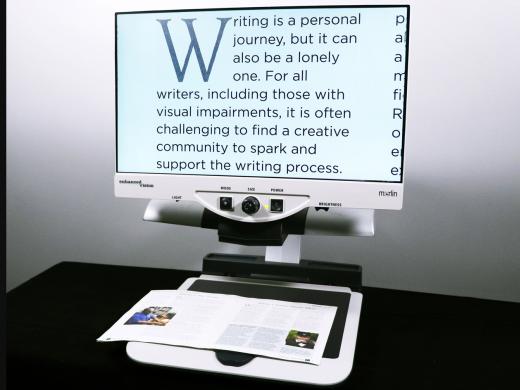
- Video · 4 minutes
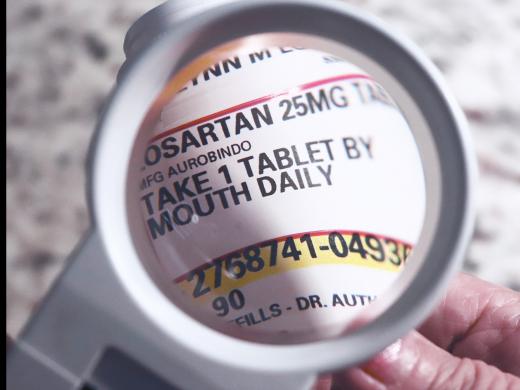
- Video · 4 minutes
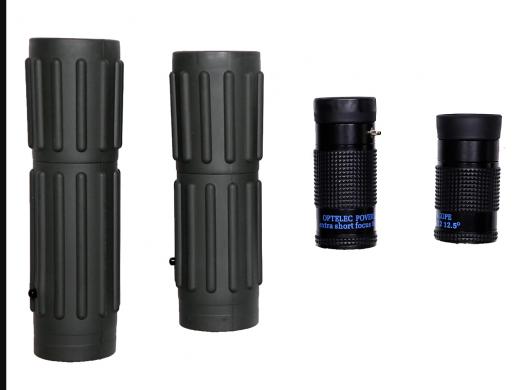
Explore
-
Vision Loss and Family Dynamics
Audio · 30 minutes
-
I can’t drive anymore
Resource guide
-
5 Alexa Skills You'll Use All the Time
Article · 2 minutes
-
Book Nook
Discussion
- Explore more
Members also liked
- Video · 5 minutes
- Video · 4 minutes

- Video · 3 minutes

- Video · 5 minutes
Join the Hadley Community
Hadley's resources are always available to you. Create a no-cost Hadley account to go further:
-
Pick up where you left off Everything you start is automatically saved across Hadley.
-
Personalized recommendations We'll suggest resources based on your interests.
-
Join live discussions Live and lively discussions on technology, cooking, and more, all geared toward the community of people living with vision loss.
-
Find peer support Connect with people who understand what you're going through.