
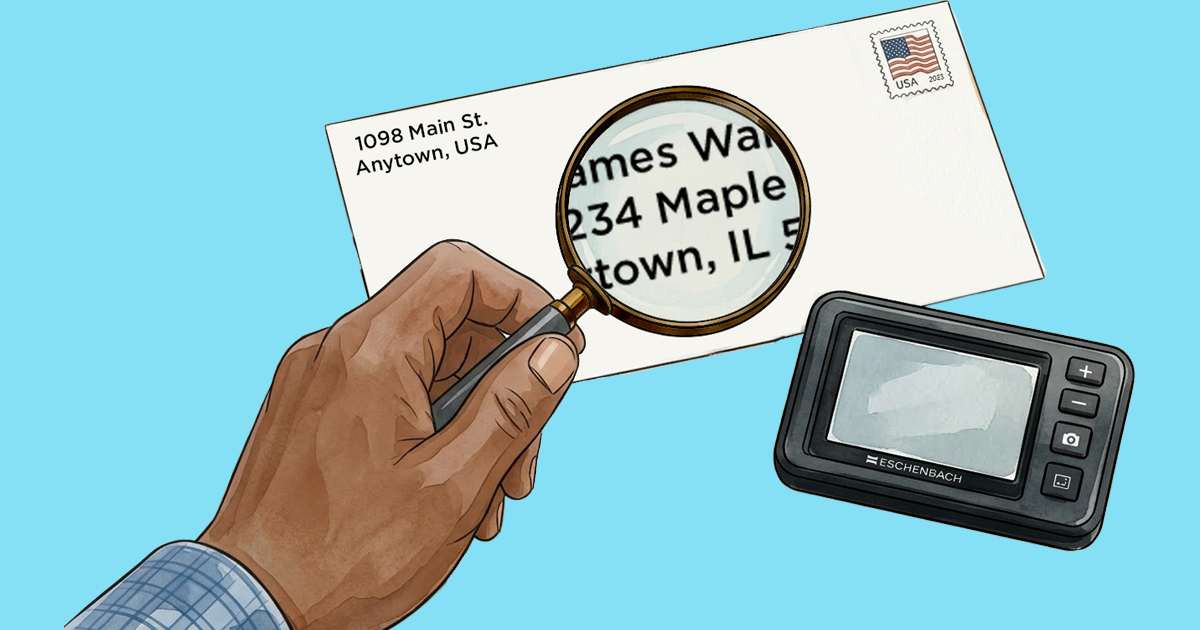
Whether your vision loss is caused by macular degeneration, glaucoma, diabetic retinopathy, or another eye condition, finding the magnifier that works best for your vision depends on what you’re doing and how much magnification you want. A handheld magnifier might be your best choice for reading labels, while many people choose a desktop video magnifier for reading books and doing paperwork.
Here's how to decide what's right for you.
What magnifier is best for low vision? Types of magnifiers explained
Most people find it's useful to have more than one magnifier, to meet different needs. Here's a look at the most common options, along with links to Hadley’s workshops that explain even more.
Handheld magnifiers
Also known as optical magnifiers, handheld magnifiers are best for quick tasks like reading a label, a price tag, or a menu. These magnifiers are generally inexpensive and portable, and they come in different sizes and strengths. Some have a built-in light, and some reading magnifiers can be used hands-free.
When you're using a handheld magnifier, it’s important to hold it at the right distance and the correct angle, and to keep it steady.
Tip: The stronger the lens, the less you can view at one time. For example, with a very strong magnifying glass, you might see just a few letters or a word.
Sam Seavey from the Blind Life loves his pocket magnifier from Eschenbach and talks about it in a Hadley Presents episode focused on his favorite tools.
Digital handheld video magnifiers
Also great for reading small amounts of text, digital handheld video magnifiers let you adjust the lighting, magnification, and color contrast to work with your vision. They are especially handy for reading mail and other documents.
They can focus automatically, so you don't have to worry as much about getting your technique just right. Because a digital magnifier is really a camera attached to a screen, you can take a snapshot of what you’re looking at, then zoom in to see the different areas. Hadley's practical specialist Steve Kelley demonstrates this type of magnifier in a short video.
With all these features, a digital handheld video magnifier is usually a bit more expensive than an optical magnifier, but it might take the place of several.
Desktop digital video magnifiers
Great for reading books or magazines, paying bills, writing, and working on projects, desktop digital video magnifiers are larger digital magnifiers. They are also called electronic magnifiers or CCTV magnifiers.
Being larger, video magnifiers generally need dedicated space—like a table or a desk. And because of their many features, there’s a learning curve; they usually involve training and help with setup. These devices can also be expensive, but you can look into programs that can make them more affordable—or even free.
Monoculars and telescopes
For magnifying things at a distance, like signs, house numbers, or a menu board at a coffee shop, you can hold up a monocular or telescope to one eye. Some have a lanyard so you can wear one around your neck. They come in a variety of sizes and strengths, and some have a preset focus while others are adjustable.
Tip: Again, a higher power isn't always better. The higher the power, the less you'll see at one time.
To use these devices well, you'll want to learn some techniques that make it easier to hold the monocular steady and find the object you’re looking for.
Can a smartphone be used as a magnifier?
Both iPhone and Android devices offer built-in features as well as apps that let you use them as magnifiers, too. And some of these magnifier apps let you change the colors and contrast to work with your vision. Hadley offers workshops to help explore the magnifier features on your phone:
A smartphone has the advantage of being with you most of the time—but a handheld magnifier in your pocket can still be a very handy tool.
How do you choose the right low vision magnifier?
Once you decide what you want a magnifier for, and which type is best for that task, the next step is to try a few. And the best way to do this is by working with a low vision professional. They can show you different devices and teach you how to use them.
If you're considering a desktop digital magnifier, a low vision professional is especially helpful. They can help you select the features that are right for you, try out one or more devices, set one up in your home, and make sure you're familiar and comfortable with the different controls. To listen to a helpful conversation about magnifiers with a vision rehab therapist, check out the Hadley Presents episode on choosing and using a magnifier.
If budget is an issue, a specialist may be able to help you find a donated or discounted device. And for those who receive low vision services through the Veterans Administration, the VA can provide a desktop digital magnifier at no charge to you.
Where can you buy a low vision magnifier?
The best place to purchase a magnifier that's right for you is through a low vision specialist or your local or state agency serving people with low vision.
You can also find magnifiers online at these websites and more:
And you can call the Hadley support center at 800-323-4238 for more information.
What do you most wish you could read more easily? Share your thoughts with us.
4 Comments
What would be the best magnifier to allow me to read my iphone better without distortion
Thank you for your question, Robin. We recommend using the zoom feature in the iPhone itself. Here are our free workshops on using an iPhone with low vision: https://hadleyhelps.org/workshops/iphone-ipad-low-vision-features-series
That said, one recommendation could be a small Eschenbach 5x magnifier. If there is a small nonprofit organization near you that supports vision loss or a low vision specialist, you might be able to try some magnifiers out first. And you're welcome to call and talk to our specialists too for more information: 800-323-4238.
The iphone magnifier will be so helpful for my husband! We didn't know about it.
So glad you found that tip helpful!