
Alexa: Tasks in the Kitchen
Hello, my name is Ricky Enger, and today we’re going to get some great tips for using our Alexa Amazon Echo digital assistant for a few tasks in the kitchen. If you’re not yet familiar with how to use your Echo device, check out the first couple of workshops in this series to get up to speed.
Okay, so there’s a lot to keep track of in the kitchen and having an assistant to do some of the work is really gonna be useful. Before we start cooking, let’s get an idea of the kinds of things that our assistant can help with.
One of the things I always struggle with is figuring out measurements and remembering how many teaspoons are in a quarter cup, or how many tablespoons are in a stick of butter. And it turns out, we can ask our assistant those questions, phrased just like that. The idea is that our commands are always meant to feel really natural, like things we’d actually say to an assistant. So, let’s try it. We’ll use our assistant’s name, and then our question:
Alexa, how many teaspoons are in a quarter cup?
Alexa: 1 quarter cup is 12 teaspoons.
Ricky: Okay, cool. Now it would be really annoying to hear the responses from my assistant, and the responses from any assistants you have set up as well. For that reason, I’m not going to say our assistant’s name anymore throughout the workshop. I don’t want to wake up your assistant unnecessarily. Just remember that when you’re ready to try each command yourself, be sure and speak the assistant’s name or wake word first.
Okay, back to our kitchen questions. Let’s ask:
How many tablespoons are in a stick of butter?
Alexa: One stick of butter is 8 tablespoons.
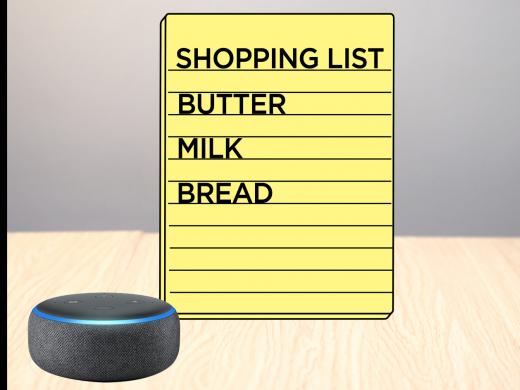
Ricky: Good to know, and speaking of butter, what if we’re almost out of it? We can add butter, along with anything else we need, to a shopping list. We can later ask our assistant to read us that shopping list. So, let’s see how it works. As always, we’ve got our name:
Add butter to my shopping list.
Alexa: Butter added to your shopping list.
Ricky: Yay! We can even add multiple items at once, like this. So, our name, or wake word:
Add milk and bread to my shopping list.
Alexa: I have added milk and bread to your shopping list.
Ricky: Great! Now, let’s read that back. We’ll ask our assistant:
What’s on my shopping list?
Alexa: You have three items on your shopping list: bread, milk, and butter.
Ricky: Nice. Oh, but hey, what happens when we buy those items and don’t need them on our list anymore? We can easily remove them, but we have to do so one at a time. So, let’s tell our assistant:
Remove bread from my shopping list.
Alexa: I’ve checked off bread from your shopping list.
Ricky: And again:
Remove milk from my shopping list.
Alexa: I’ve checked off milk from your shopping list.
Ricky: And now, we’ll check our list again, just to make sure that butter is all we have. Again, we'll use our wake word:
What’s on my shopping list?
Alexa: You have one item on your shopping list: butter.
Ricky: Awesome! Now, another really useful option is to set a timer, so that nothing burns when we’re cooking something. So, how do we do that? Well, what feels like a natural thing to say for setting a timer? We’ll say our name, and then:
Set a timer for 5 seconds.
Alexa: 5 seconds, starting now.
Ricky: Yeah, I know, that’s a really short timer. But it will go off soon.
[Amazon Echo timer sound] Okay, stop!
[Amazon Echo timer sound] Hey, it’s not stopping. Oh, I forgot my wake word. So, I’ll say that now:
Stop.
There we go. Our timer has stopped. And if that situation ever comes up, where you’ve said something and your assistant just isn’t responding, it might be that you need to try it again, making sure to use that name, or wake word.
Nice! Now, there are lots more things you can do with your assistant in the kitchen, so try asking about what you want, just using that natural language and phrasing. You might say things like: What can I substitute for vanilla? Or what can I use if I don’t have buttermilk? When you’re done listening here, try asking for a recipe for something you’d like to cook. Cinnamon toast sounds really good right now, so that’s what I’ll be asking for.
I’m Ricky Enger, and I’m glad you could spend a little time with me today, learning about using your Amazon Echo for tasks in the kitchen. As always, contact a learning expert if you have questions about anything in this workshop, or if you have your own tips to share. We’d love to hear from you! See you next time.
Alexa Series
- Video · 7 minutes
- Video · 7 minutes

- Video · 6 minutes
- Video · 8 minutes

Explore
-
"You don't know it all."
Audio · 5 minutes
-
I was just diagnosed
Resource guide
-
Paying for Eye Treatment: Where to Find Help
Article · 7 minutes
-
Resource Roundtable
Discussion
- Explore more
Members also liked
- Video · 3 minutes

- Video · 6 minutes

- Video · 3 minutes
- Video · 9 minutes
Join the Hadley Community
Hadley's resources are always available to you. Create a no-cost Hadley account to go further:
-
Pick up where you left off Everything you start is automatically saved across Hadley.
-
Personalized recommendations We'll suggest resources based on your interests.
-
Join live discussions Live and lively discussions on technology, cooking, and more, all geared toward the community of people living with vision loss.
-
Find peer support Connect with people who understand what you're going through.