
Staying Connected: Choosing a Home Phone
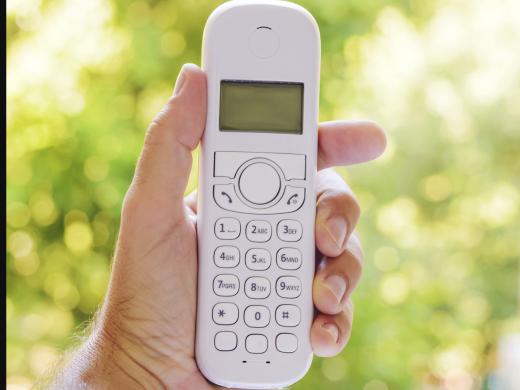
Having a home phone sometimes called a landline can be a handy and reliable way to make and receive calls. But depending on your needs, a good old-fashioned telephone may not have the right features for you.
Well, here's some good news. If you're interested in having a home phone, there are plenty of different types out there and many have features that make them convenient to use no matter your level of vision.
Let's take a look at what's available. Have you ever found the buttons on your phone or difficult to see or feel? Some phones are available with larger keypads and high contrast numbers, which can be a big help.
You can find different sizes and even colors. So shop around and find the keypad that works best for you whether you're dialing by site or by touch. And if dialing by touch is something you'd like to learn more about, check out our workshop on dialing the phone for some handy tips.
You can also find phones with a screen that shows information like the name or number of an incoming call. Some have displays with large print and some have adjustable font sizes and colors and some phones can announce the caller's name and other information out loud.
- [Man] Incoming call from Greg Low.
- [Narrator] Speaking of loud, if you like to turn up the volume, look for a phone with high volume settings but let you turn up the ringer for incoming calls or hear your conversation better. And if you like to dial using your voice, there are phones that let you do that too.
A speaker phone also lets you talk without holding the phone, keeping your hands free to jot down notes while you're talking or get some other tasks done. And with some phones, you can plug in headphones with a microphone, which not only lets you use your hands for other tasks, but also helps you listen without the distraction of other noise in the room.
Headphones can also help keep your phone call quieter and more private when other people are in the room. If you wear hearing aids, it might be helpful to choose a phone that connects to your hearing aids.
Besides features that help you see or hear the phone more easily, it's a great idea to look for other features you need like an answering machine built right into the phone. That way, setting up your equipment can be faster and there are fewer instructions to work through.
To find information on several phones that offer the features we've talked about today, check out the resources by scrolling down the page below this workshop. You can also look online at your local electronic store and at retailers or organizations and even clinics that carry products for people with low vision.
Now, there's one more tip that can come in handy when you're using a home phone. Many telephone service providers offer no cost directory assistance for customers with reduced vision. This program is often called a directory assistance exemption, and it's not just phone companies.
Cell phone providers may offer it too. To sign you up for the exemption, most companies require a note on letterhead from your doctor or vision rehab professional.
To find out more, contact your phone company. Another option for directory assistance is a free service called free 411. From any phone, you can dial 800 free 411 or 800-373-3411. 800 free 411 or 800-373-3411.
Then you can ask for residential and business numbers and get your call connected automatically all by using your voice. As always, if you need more information or you've got your own tips to share, contact a Hadley learning expert. We'd love to talk with you.
-
Handouts
Home Phones: Products and Services (PDF)
Here's a list that includes phone numbers you can call directly, to help you learn more about accessible home phones and services.
-
Organizations
This national program provides telephone equipment and training at no cost to eligible individuals with both hearing and vision loss.
Free 411
Calling 800-373-3411, or 800-FREE411, lets you connect to a free directory assistance service that's supported by advertising.
-
Products
Panasonic 40dB Phone with Caller ID and Answering Machine
Clarity D703 Amplified Cordless Phone
Clarity Bluetooth Cordless Phone
Clarity offers phones with several low-vision and sound-enhancing features, like extra-large buttons with braille, large-print screens, talking caller-ID, and more.
Future Call Voice Dialer Phone
This large-button phone lets you make outgoing calls and answer incoming calls using voice prompts alone—and includes several more accessibility features.
Staying Connected Series
- Video · 6 minutes

- Video · 4 minutes
- Video · 4 minutes

- Video · 3 minutes

Explore
-
Reading After Vision Loss: It's Still Possible
Audio · 27 minutes
-
A family member has vision loss
Resource guide
-
Organizing Your Kitchen with Vision Loss: Finding Things in the Fridge
Article · 4 minutes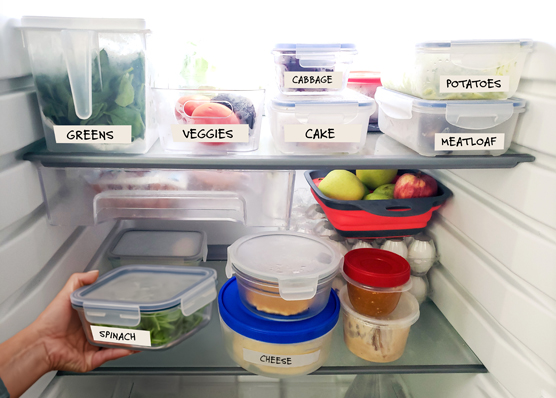
-
Resource Roundtable
Discussion
- Explore more
Members also liked
- Video · 3 minutes

- Video · 6 minutes

- Video · 4 minutes

- Video · 4 minutes

Join the Hadley Community
Hadley's resources are always available to you. Create a no-cost Hadley account to go further:
-
Pick up where you left off Everything you start is automatically saved across Hadley.
-
Personalized recommendations We'll suggest resources based on your interests.
-
Join live discussions Live and lively discussions on technology, cooking, and more, all geared toward the community of people living with vision loss.
-
Find peer support Connect with people who understand what you're going through.