
Staying Connected: Dialing the Phone
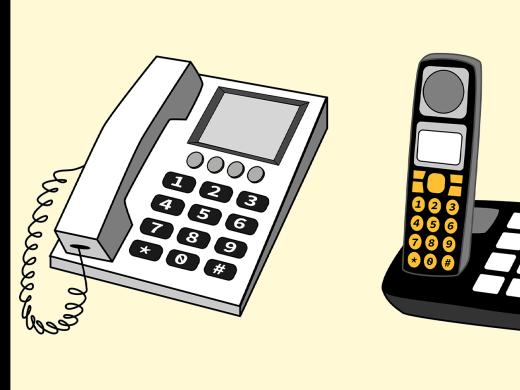
If you have a phone with a keypad that has physical buttons, have you ever had trouble finding the correct button? Or, trouble dialing the numbers fast enough?
Even if you have a telephone with large buttons that are easier to see, learning how to dial by touch can increase your dialing speed and accuracy. It’s just like touch-typing on a typewriter or keyboard. So, no matter what type of phone you’re using, dialing by touch saves you time and avoids frustration.
Phones with physical buttons usually have a raised marker on the 5 button.
Feel the keypad to find the mark on the 5. This will help you get started. Instead of using just one finger to find all the buttons you need, you’ll use three fingers to help you find them quickly and easily. Now we’ll show you how to dial by touch.
Use the row with the 4, 5, and 6 buttons as your home base.
If you’re right handed, put your index finger on the 4, middle finger on the 5, and ring finger on the 6.
When finding specific buttons, use one finger per column.
Use the index finger to find the 1, 4, 7, and star buttons.
Use the middle finger to find the 2, 5, 8, and 0 buttons.
Use the ring finger to find the 3, 6, 9, and pound buttons.
After you find each button, move your finger back to home base.
We’ll show you how this works when dialing Hadley’s phone number 1-800-323-4238.
Use your index finger to find and press the 1;
use your middle finger to find and press the 8
and two zeros;
then use your ring finger to find and press the 3,
middle finger to find and press the 2
and ring finger to find and press the 3 again.
Finally, use your index finger to find and press the 4,
middle finger to find and press the 2,
ring finger to find and press the 3
and middle finger to find and press the 8.
For complete instructions, including those for people who are left-handed plus a modified technique, check out the handout in the resource section.
Dialing by touch works on different types of telephones. And it works on other keypads too, like TV remotes, calculators, and keyless door locks.
If you add raised markers, you can even access keypads without physical buttons. Hadley’s workshop on Labels You Can Touch has plenty of information on using raised markers for labeling everyday items.
Give dialing by touch a try. After a little practice, you’ll find making phone calls a lot easier.
Contact the Learning Expert! The Learning Expert can also share resources for large button telephones, looking up phone numbers, and phone resources if you have a hearing loss.
-
Handouts
This handout gives you instructions on how to dial the phone by touch.
-
Organizations
This organization provides free communications technology if you meet income guidelines.
-
Products
Large button telephones from LS&S
There are various models of large button phones, including amplified phones.
This phone has a display screen so you can read what the caller says (large print and braille models exist).
80-count multipack of bump dots in various sizes.
Staying Connected Series
- Video · 4 minutes
- Video · 6 minutes

- Video · 4 minutes

- Video · 3 minutes

Explore
-
Vision Loss Bloopers Continued
Audio · 31 minutes
-
I'm feeling overwhelmed
Resource guide
-
Feeling Judgment and Shame: Misunderstandings due to vision loss
Article · 5 minutes
-
Resource Roundtable
Discussion
- Explore more
Members also liked
- Video · 2 minutes

- Video · 4 minutes

- Video · 3 minutes

- Video · 3 minutes

Join the Hadley Community
Hadley's resources are always available to you. Create a no-cost Hadley account to go further:
-
Pick up where you left off Everything you start is automatically saved across Hadley.
-
Personalized recommendations We'll suggest resources based on your interests.
-
Join live discussions Live and lively discussions on technology, cooking, and more, all geared toward the community of people living with vision loss.
-
Find peer support Connect with people who understand what you're going through.